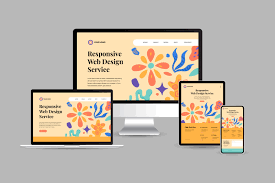
Website design impacts SEO and rankings in many ways. Good design makes your site fast, mobile-friendly, and easy to use. These factors help Google rank your pages higher. Poor design causes slow loading, high bounce rates, and low rankings. A well-designed website improves user experience and helps search engines understand your content better.
Does Website Design Really Affect SEO?
Yes. Website design really affects SEO and rankings. Google looks beyond just content. It also evaluates how users experience your website. Good design keeps visitors on your site longer.
Poor design makes them leave quickly. This bounce rate sends negative signals to Google.
Design influences several ranking factors:
- Page loading speed
- Mobile usability
- Ease of navigation
- Content readability
- Overall user satisfaction
Search engines now treat design as part of the page experience. A beautiful site with slow speed or bad navigation will rank lower. A clean, fast, and user-friendly design helps pages rank higher even with average content.
Modern SEO is not only about keywords. It is also about how well your website performs for real users. Good website design directly supports better rankings.
How Page Speed Affects Your Rankings
Page speed is one of the biggest factors. Slow websites frustrate users. Users leave before the page fully loads. Google measures speed with Core Web Vitals.
These include:
- Largest Contentful Paint (how fast main content loads)
- Interaction to Next Paint (how fast the site responds)
- Cumulative Layout Shift (how stable the layout stays)
Good design choices like optimized images and clean code make your site faster. Faster sites rank higher.
Why Mobile-Friendly Design Matters for SEO
Most people now browse the internet on their phones. Google knows this. It uses mobile-first indexing. This means Google checks your mobile version first when deciding rankings.
A mobile-friendly design adjusts automatically to any screen size. Text is easy to read. Buttons are simple to tap. Pages load properly without zooming or scrolling sideways.
If your site is not mobile-friendly, users leave quickly. This increases the bounce rate. Google sees this as a bad user experience. It lowers your rankings as a result.
Mobile-friendly sites keep visitors longer. They have lower bounce rates. They get better engagement signals. All these factors help improve SEO and rankings.
In 2026, ignoring mobile design hurts your visibility. Make sure your website works perfectly on phones. It is one of the most important ranking factors today.
How Navigation and Site Structure Help SEO
Clear navigation helps users find information quickly. It also helps search engines crawl and understand your website better. Good site structure works like a map.
It shows Google the most important pages. It spreads ranking power across your site.
Key benefits of good navigation and structure:
- Users stay longer because they can move easily.
- Search engines index more pages successfully.
- Internal links pass authority to important content.
- Bounce rates decrease.
- Crawl budget is used more efficiently.
Best practices for better SEO:
- Keep the main menu simple with 5 to 7 items.
- Use clear category names.
- Add breadcrumb navigation on deeper pages.
- Create a logical hierarchy (Home > Category > Sub-category > Post).
- Include a search bar for larger sites.
- Link related posts within content.
Poor navigation confuses both users and Google. This leads to lower rankings. A well-structured site improves user experience and gives search engines clear signals. Both factors help boost your overall SEO performance.
The Role of Clean Layout and Readability
A clean layout makes your website easy to read and use. Visitors stay longer when content is well organized. This sends positive signals to Google. Good readability improves user experience. It helps search engines understand your content better.
How clean layout helps SEO:
- Short paragraphs are easier to scan.
- Proper spacing reduces eye strain.
- Clear headings guide readers through the page.
- Good color contrast makes text readable.
- Simple fonts load faster and look professional.
Readers prefer clean designs. They spend more time on well-formatted pages. Longer dwell time tells Google your content is valuable. Use white space effectively.
Avoid cluttered sidebars and too many ads. Break long text with headings, bullet points, and images. A clean layout not only looks better but also improves rankings. It helps both users and search engines.
Core Web Vitals and Website Design
Core Web Vitals are important ranking signals used by Google. They measure real user experience on your website. Website design directly affects these scores.
There are three main Core Web Vitals:
- Largest Contentful Paint (LCP): Measures how fast the main content loads. Good design with optimized images and clean code improves LCP.
- Interaction to Next Paint (INP): Measures how quickly the site responds to clicks and taps. Heavy scripts and poor design slow down interaction.
- Cumulative Layout Shift (CLS): Measures how stable the page layout is. Unexpected moving elements (like pop-ups or ads) create bad CLS scores.
Bad design choices often cause poor Core Web Vitals. Examples include large unoptimized images, too many animations, and unstable layouts.
To improve scores:
- Compress images and use WebP format.
- Minimize heavy JavaScript.
- Avoid elements that shift content.
- Use proper font loading strategies.
Good website design helps you achieve better Core Web Vitals. Higher scores lead to better rankings and happier visitors. Test your site regularly with Google PageSpeed Insights.
Common Design Mistakes That Hurt Rankings
Many sites make these errors:
- Using too many heavy images without compression
- Creating cluttered layouts with too many elements
- Ignoring mobile users
- Using flash or outdated plugins
- Poor heading structure
These mistakes increase bounce rates and slow loading. Fix them to improve rankings quickly.
How to Design a Website That Ranks Well
Follow these actionable steps:
- Start with mobile-first design.
- Optimize all images and use modern formats like WebP.
- Keep code clean and lightweight.
- Use proper heading hierarchy (one H1, multiple H2s).
- Add clear calls to action.
- Ensure fast hosting and caching.
- Test with real users and tools like Lighthouse.
Combine good design with quality content for the best results.
Quick Checklist for SEO-Friendly Website Design
- Site loads under 3 seconds on mobile
- Fully responsive on all devices
- Clear navigation menu
- Proper heading structure
- Optimized images with alt text
- Good Core Web Vitals scores
- Secure HTTPS connection
- Easy-to-read fonts and colors
Use this checklist when building or redesigning your site.
Conclusion
Website design has a direct impact on SEO and rankings. Fast, mobile-friendly, and user-focused designs perform better in Google. Poor design hurts visibility even with great content.
Invest in good design from the beginning. It improves user experience and helps your site rank higher for the long term. Regularly test and update your design as technology changes.
Website Design & SEO FAQ
Does website design affect SEO?
Yes. Design affects page speed, mobile experience, and user signals that Google uses for rankings.
How does slow website design hurt rankings?
Slow sites increase bounce rates. Google sees this as poor user experience and lowers rankings.
Is mobile design important for SEO in 2026?
Yes. Google uses mobile-first indexing. Non-responsive sites rank lower.
What are Core Web Vitals and why do they matter?
Core Web Vitals measure loading speed, interactivity, and layout stability. Good scores help rankings.
Can a beautiful website still rank poorly?
Yes. If it is slow or hard to use, it will not rank well even if it looks nice.
How can I check if my website design is SEO-friendly?
Use Google PageSpeed Insights, Mobile-Friendly Test, and Lighthouse. Fix any low scores.